If you’ve seen our recent demos on X or LinkedIn, you’ve already had a glimpse of what’s coming. Voltra is a new library that lets you build iOS Live Activities and Widgets using React. No Swift required.
It’s not a replacement for native code, and it doesn’t try to be. Instead, Voltra focuses on the 80% of real-world cases where a React-based solution is more than enough, without sacrificing correctness or performance.
Before diving into the code, it helps to understand what Live Activities and Widgets actually are. And why they exist in the first place.
Live Activities and widgets
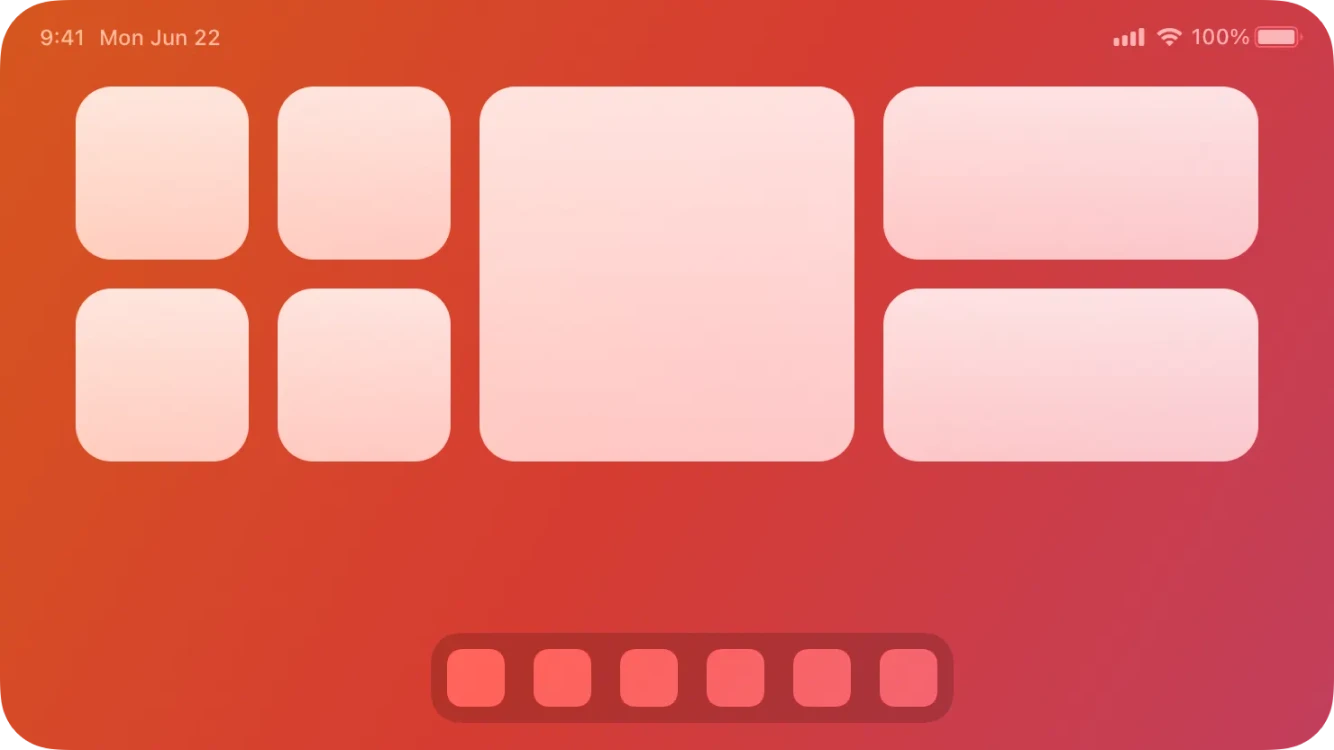
Widgets have been with us for quite some time now. First introduced in iOS 14, they were designed to surface important information in a way that’s easily accessible to the user. Over the years, we’ve seen several UI and UX changes. Widgets moved from a dedicated screen to the Home Screen and, later, to the Lock Screen. Despite these changes, their core nature has remained the same: widgets are mostly static, refreshing periodically to display up-to-date data.
Live Activities, on the other hand, are a much more recent addition and fundamentally different in nature. They’re not meant to be persistent UI elements, but rather an on-the-spot experience, with a strong focus on being dynamic. They’re commonly used to show the current state of an ongoing process, such as a food delivery or a taxi ride.
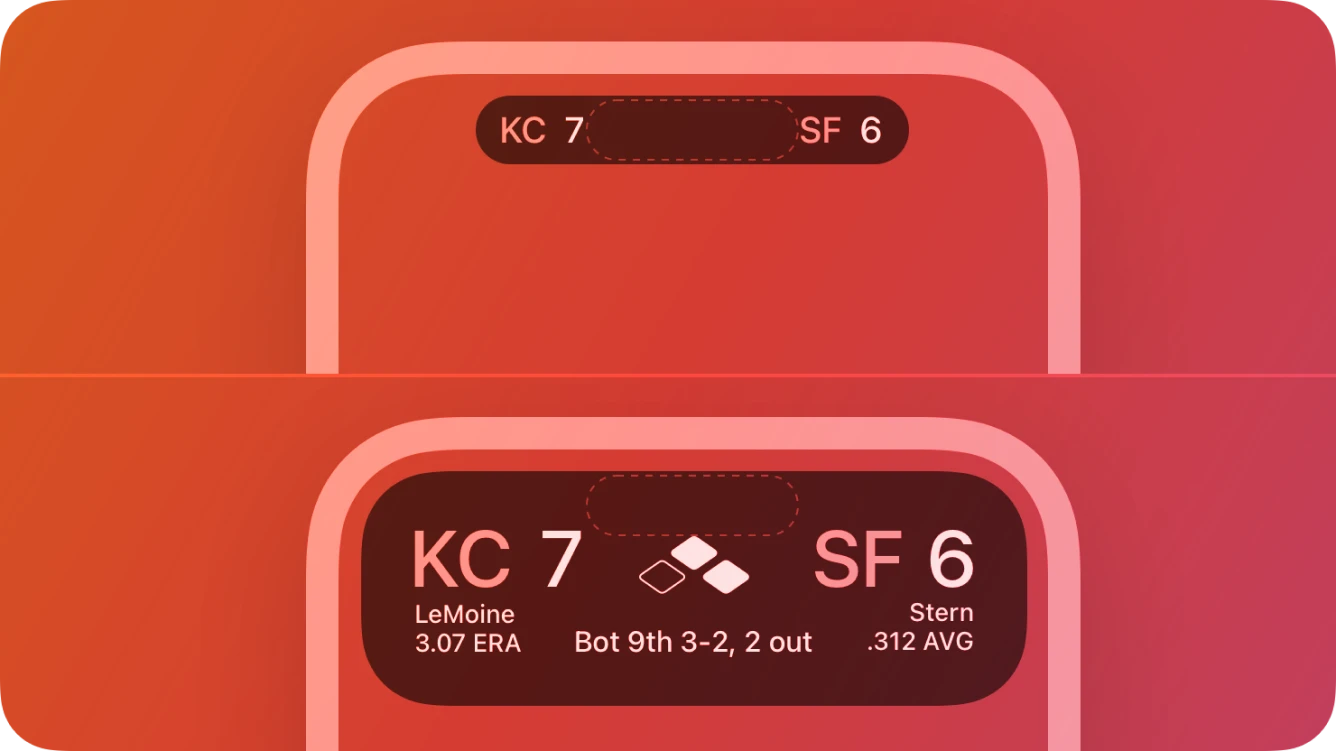
This dynamic nature comes with additional requirements. Live Activities need to be updated frequently, often even when the app isn’t running in the background. To make this possible, developers rely on push notifications to update their state. While both widgets and Live Activities are built on top of WidgetKit, push-based updates are limited to Live Activities and that’s only one of several differences between the two. To keep this article at a reasonable length, I’ll stop here and encourage you to explore Apple’s documentation if you want to dive deeper.
Challenges with Live Activities in React Native
Up until now, developing Live Activities or widgets has been far from straightforward. While it was possible to add them to React Native apps, doing so required deep knowledge not only of React Native itself, but also of native iOS development. You needed to be comfortable with Swift and SwiftUI to build the UI, create your own TurboModule to expose native functionality to Hermes, and then wire everything together. Often hoping nothing would break along the way.
There have been attempts to make this process easier. One example is expo-live-activity, created by Software Mansion. While customization options were limited, the library enabled many apps to adopt Live Activities. For some teams, however, this wasn’t enough. More advanced use cases still required dropping down to native code.
Tools like expo-apple-targets, created by Evan Bacon, helped reduce some of the pain by allowing native code to live outside the native project directory, preventing it from being wiped during prebuilds. Still, the requirement to understand Swift remained, and for many developers around the world, that barrier alone was a deal-breaker.
Breaking the Swift barrier
Voltra approaches the problem from a different angle. Instead of offering a ready-made UI with a handful of toggles for customization, it lets you define the interface entirely on your own, using the same JSX you already use to build your React Native application.
The idea for the library and its initial implementation comes from Saúl Sharma, who posted a nice demo of what’s possible with this approach a couple of months ago. However, he couldn’t fully focus on finishing Voltra, which is when I stepped in to complete what he had started.
At its core, Voltra’s approach is conceptually similar to React Native itself. You describe a native UI in JavaScript, pass that description to the native layer, and let the system construct the actual view hierarchy. In this case, using SwiftUI. This means you’re no longer constrained by a fixed set of predefined layouts or variants. With the primitives provided by Voltra, you can build your Live Activity UI from scratch using just React.
This approach introduces a significant advantage, in some cases even over a fully native implementation. Because the UI is defined declaratively and transmitted as data, you can update what’s displayed remotely via push notifications, without requiring users to download a new version of your app. Imagine a special in-app event scheduled hours in advance: instead of rushing an app update and hoping users install it in time, you can simply push a new Live Activity definition right before the event starts.
.jpg)
At a deeper level, Voltra adopts an approach similar to React Native’s legacy architecture, with the explicit goal of producing a SwiftUI view hierarchy. The JSX you write is converted into a JSON structure by a custom React renderer, compressed, and then passed to the native layer. Voltra’s native renderer then decompresses that payload and recreates the view tree, element by element, using SwiftUI primitives.
Voltra doesn’t aim to provide cross-platform abstractions, at least not yet. Instead, you work directly with SwiftUI concepts like HStack and VStack, while SwiftUI’s own layout engine takes care of positioning elements inside a Live Activity or widget. While this might sound straightforward, the reality is more complex. Voltra has to navigate a number of constraints along the way, from the laughably small 4 KB payload limit, through limited interaction handling, to subtle styling differences between environments.
We’ll dive into those challenges later. For now, let’s take a look at how you can start using Voltra.
Creating your first Live Activity with Voltra
Preparing your project
Voltra is an Expo Module and makes heavy use of the Expo Config Plugin system. If you’re using Expo, you’re good to go.
💡 If not, you can still use Voltra, but you’ll need to make some manual changes to your native project. We’re working on a guide for non-Expo setups, so stay tuned for updates.
For the purpose of this example, we’ll assume your app is an Expo app. Installing Voltra is straightforward and works with any package manager:
npm install voltraIt comes with an Expo Config plugin that sets up your native project correctly. To enable it, you’ll need to modify your app.config.js (or a similar configuration file):
{
  "expo": {
    "plugins": [
      "voltra"
    ]
  }
}
After that, run Expo prebuild (or your preferred method) to regenerate your native project. From that point onward, you can use Voltra’s API in your app.
Starting a Live Activity
Voltra offers two kinds of APIs: imperative and hook-based. In this example, we’ll use the hook-based approach, which supports hot reloads out of the box. In one of your components, add the following code:
import { Voltra, useLiveActivity } from 'voltra'

const activityUI = (
  <Voltra.VStack style={{ padding: 16, borderRadius: 18, backgroundColor: '#101828' }}>
    <Voltra.Symbol name="car.fill" type="hierarchical" scale="large" tintColor="#38BDF8" />
    <Voltra.Text style={{ color: '#F8FAFC', fontSize: 18, fontWeight: '600' }}>Driver en route</Voltra.Text>
    <Voltra.Text style={{ color: '#94A3B8', fontSize: 12, marginTop: 8 }}>Building A · Lobby pickup</Voltra.Text>
    <Voltra.Button title="Contact driver" id="contact-driver" style={{ marginTop: 12 }} />
  </Voltra.VStack>
)

// Start the live activity
useLiveActivity({
  lockScreen: activityUI,
})
This will create a new Live Activity when your component mounts and display it on the Lock Screen. The Dynamic Island, however, will remain empty, since we haven’t defined any UI for it yet. If you like, you can add an island property and provide a minimal UI, for example, a single symbol in its compact state, to be shown there. Consult Voltra’s documentation for the expected object structure.
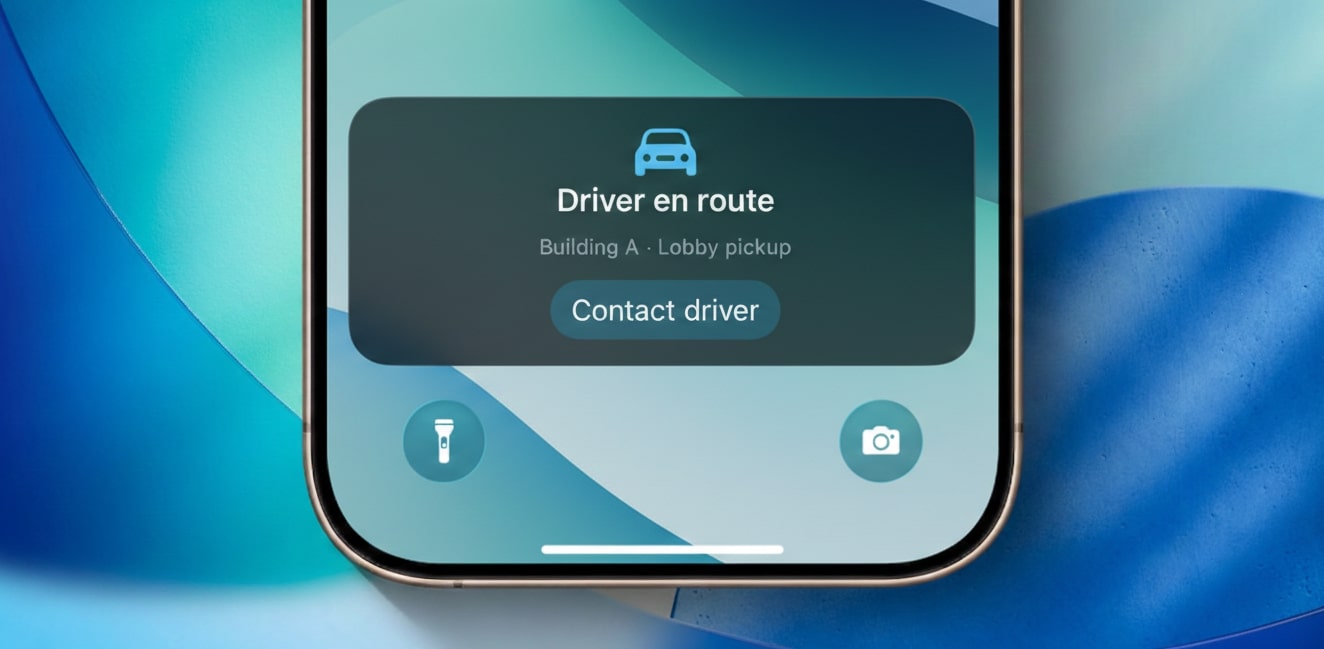
Notice the components we’re using. They all come from voltra library and are direct equivalents of native SwiftUI views. Essentially, you’re defining a native view hierarchy using JSX within your React Native app.
Styling is handled via the style prop, just like in React Native. However, only a subset of style properties is supported. If you try to use unsupported properties, the TypeScript compiler will warn you, or you can check the documentation for the full list.
Once your app runs and the component mounts, you’ll see your Live Activity presented in all variants. You may notice minor layout differences - this is expected. Live Activities and widgets operate in severely constrained environments (limited memory and CPU time). Voltra relies on SwiftUI’s native layout engine rather than implementing custom layout logic like React Native’s Flexbox. It’s a small inconvenience, but one to be aware of as a Voltra user.
What about remote updates?
One of Voltra’s key strengths, and a feature that can even surpass the native solution, is the ability to display arbitrary Live Activities remotely, without requiring an app update. Because Voltra describes the view hierarchy as JSON, the same logic used in React Native can be executed on a server to create a blueprint of the activity, which is then delivered to the device.
{
  "aps": {
    "timestamp": 1765896094,
    "event": "start",
    "content-state": {
      "uiJsonData": "<<Voltra JSON>>"
    },
    "attributes-type": "VoltraAttributes",
    "attributes": { "name": "name-of-your-activity" },
  }
}
APNs payload to remotely start a Live Activity backed by Voltra.
Live Activities support remote updates via push notifications, so we can use this mechanism to send the JSON blueprint from a server to a device. On the device, Voltra uses the same native engine to render the JSON - from its perspective, there’s no difference between a description coming from the device itself or from a remote service.
To generate these descriptions, you can use Voltra’s server-side API. It renders the JSX, compresses it, and returns a base64-encoded string that can be embedded in a push notification and sent to the device. For details on how to structure the push notification itself, refer to Apple’s documentation.
Challenges Voltra solves
There's a handful of optimizations that the library is doing for you due to Live Activities limitations imposed by iOS, mainly regarding the 4 KB payload limit and preloading images. The description of the entire UI, including all variants, needs to fit in roughly 3,200 characters (assuming only ASCII characters), as the rest of the space is reserved by ActivityKit. That’s not much. In fact, it’s an incredibly tight constraint.
Converting Views and props to stable numeric IDs
Firstly, Voltra doesn’t send views as strings. Instead, it converts them to stable numeric IDs, immediately saving around 20%–30% of space. A similar approach is applied to props and style properties. The result is a JSON string composed mostly of numbers and short strings. While we can define all variants, they’re initially constrained to display only a handful of views. That’s where text compression comes in.
Compression payload with Brotli
By using Brotli lossless compression, Voltra can shrink the payload by roughly 60%, even after serializing the compressed byte stream into a base64 string, which is inherently less space-efficient. At this point, more complex UI structures are possible, but there’s still room for optimization.
Reusing JSX elements registry
In many cases, the same UI elements are repeated multiple times. For example, consider a GitHub commits graph composed of squares in different shades of green. Each square is identical in structure, but without optimization, Voltra would describe each instance individually, wasting space.
.jpg)
Thankfully I found a better approach: when you define a JSX element once and reuse the same reference, Voltra detects it and stores it in an element registry. Every subsequent instance references the original definition. This optimization allowed the GitHub example to grow from 4 rows to over 12. You can apply the same pattern in your layouts to create as complex UI as you need.
Preloading images
Another challenge Voltra tackles is displaying images. Live Activities don’t have access to the internet, so network images can’t be fetched on the fly. You might wonder how apps like Uber show driver photos. The answer is preloading: the image is loaded in the app, saved in a location accessible to the Live Activity, and then displayed from that persistent storage. Voltra provides an image preloading API to make this simple. You can preload an image in your React Native code and then render it in your Live Activity - all without writing native code yourself.
Is Voltra production-ready?
Voltra should be considered an experimental technology in a public preview stage. It is expected to work correctly, but it hasn’t yet been battle-tested in production. As a result, you may encounter bugs along the way. This is entirely normal for a preview release.
That said, I strongly encourage you to try Voltra. If you run into any issues, please feel welcome to open an issue on the Voltra repository. Together, we can refine the library, and ultimately create a robust solution for Live Activities and widgets in React Native.
What’s next for Voltra?
We're only getting started and have much more up our sleeves:
Expanded feature coverage
Support for more native views, properties, and styling options. Community feedback will guide what gets prioritized.
Simpler integration
A potential move to a TurboModule, removing the need for Expo Modules and improving integration in non-Expo projects.
Android support
Planned for the future once the core experience is fully polished. This will involve defining Android-specific primitives and implementing the native engine in Kotlin.
Wrapping up
This is Voltra, the all-in-one library for Live Activities and widgets in React Native. It doesn’t constrain you to a set of predefined layouts; instead, it gives you the freedom to design any UI, as long as it’s built from composable SwiftUI primitives.
The public preview is now live. You can install Voltra from NPM using your favorite package manager and start experimenting right away. Head over to Voltra’s documentation page to follow the setup instructions.
I’m really excited to hear about your experience and what you'll build with the library! There’s a showcase discussion in Voltra’s repository where you can show what you’ve built. I’m genuinely curious to see what your imagination comes up with.
Finally, contributions and feedback are welcome! File issues and pull request on Voltra's GitHub repository, contact us via Callstack’s Discord (#voltra channel) or DM me on X or LinkedIn.
Happy coding!

Learn more about React Native
Here's everything we published recently on this topic.