We're speeding up. Changes that used to take hours can now land in minutes thanks to AI. That raises the bar for the app's safety net. For many teams, that safety net is a large end-to-end test suite. It exists to prove the app still works from the user's point of view.
The problem starts when every pull request runs the full suite. A tiny update can trigger the same tests as a risky refactor. Each run means starting simulators, waiting for them to boot, preparing the environment, and running the app. That cost adds up. In AI-assisted workflows, running every E2E test for every change becomes a tax on velocity.
Skipping tests is not the answer. The goal is to keep confidence high while avoiding tests that are clearly unrelated to the change. That is the problem Sniffler was built for.
What Sniffler does
We built Sniffler to identify which end-to-end tests are affected by your changes. You give Sniffler the files that changed, either from a Git diff or an explicit file list. It analyzes the relationships between modules in your project and connects those changes to the E2E tests they can affect.
The idea is simple: if a pull request changes one part of the app, you should be able to run the E2E scenarios that depend on that part of the app. For a large test suite, that can mean running a handful of tests instead of the whole thing.
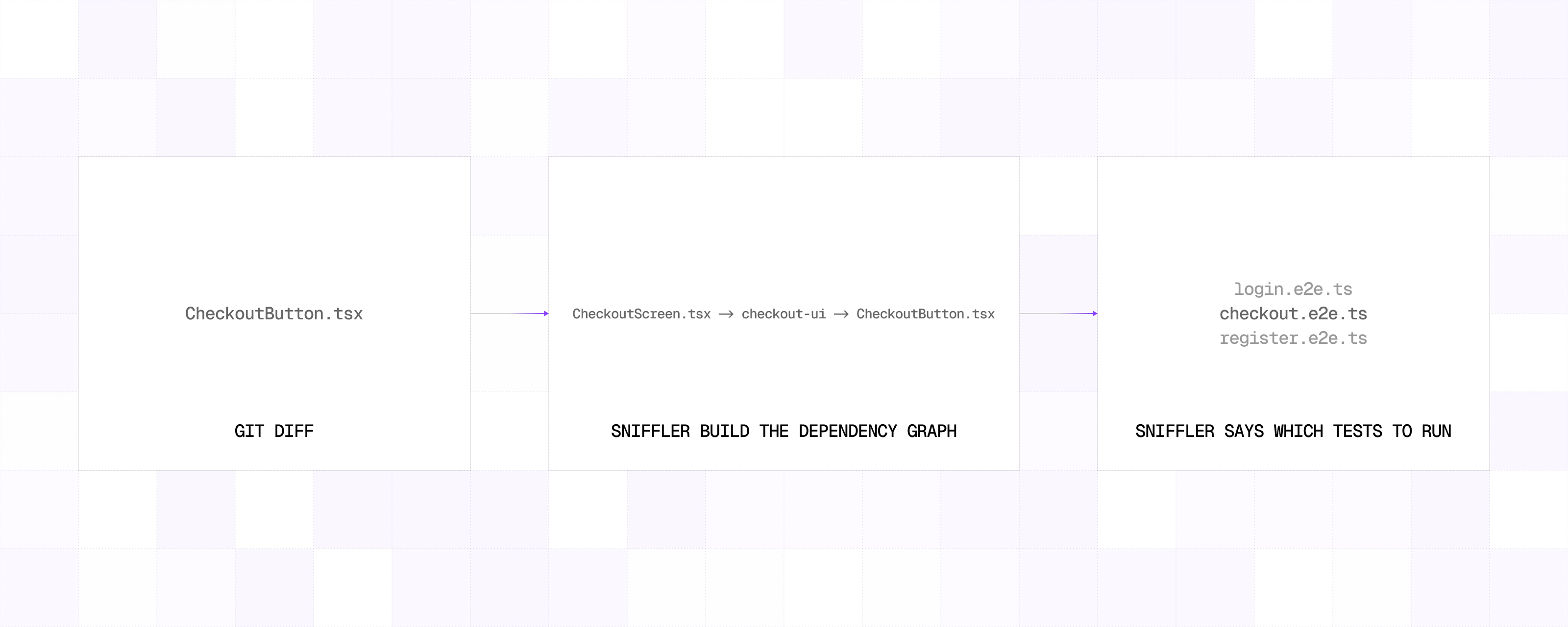
Sniffler does this by focusing on import and export analysis. It scans source files, understands how modules depend on each other, and builds a dependency graph that can trace the impact of a change. It is especially useful in JavaScript and TypeScript projects where E2E tests are expensive to run and the app is spread across packages, workspaces, shared modules, and barrel files.
The job stays narrow on purpose: take changed source files and find the E2E tests that those changes can affect.
Getting started with Sniffler
Getting started with Sniffler is intentionally simple.
First, install it in your project:
npm install -D snifflerThen add Sniffler's project files. The two important ones are the config file and the test map. The config tells Sniffler where your source code lives, what to ignore, and where to find the test manifest.
{
  "source": {
    "roots": ["apps", "packages"],
    "ignore": ["**/*.test.*", "**/*.spec.*", "**/__tests__/**"]
  },
  "tests": {
    "manifest": ".sniffler/test-map.json"
  }
}
The test map tells Sniffler which E2E tests are connected to which parts of the app.
[
  {
    "test": ".maestro/checkout.yaml",
    "dependsOn": [
      "apps/mobile/src/screens/CheckoutScreen.tsx",
      "packages/checkout/src/**"
    ]
  },
  {
    "test": ".maestro/profile.yaml",
    "dependsOn": ["apps/mobile/src/screens/ProfileScreen.tsx"]
  }
]
After that, run Sniffler from the project root.
npx sniffler impact --base origin/main --head HEAD

 ✓ .maestro/checkout.yaml
   depends on affected packages/checkout/src/components/CheckoutButton.tsx

     Impact 1 test selected
    Changed 1 file
   Affected 3 modules
   Warnings 0 warnings
The impact command is useful when you want to inspect the affected tests first. Once you are happy with the result, you can use run to pass that list directly to your existing test runner.
npx sniffler run --base origin/main --head HEAD -- npx vitest runIn this example, Sniffler passes affected test files to Vitest. But it is not limited to test runners.Sniffler can sit in front of any command that accepts files as parameters. That could be a test runner, a linter, a formatter, a type-checking script, or an internal tool. The pattern is the same: Sniffler works out which files are affected, then hands that smaller, more relevant list to the command you already trust.
How Sniffler works
Sniffler analyzes import and export statements to build a dependency graph of the modules in your application. Many JavaScript tools take the classic route and parse source files into full abstract syntax trees. That gives you a lot of information, but it also means more work for every file. In large repositories, especially monorepos, that cost adds up.
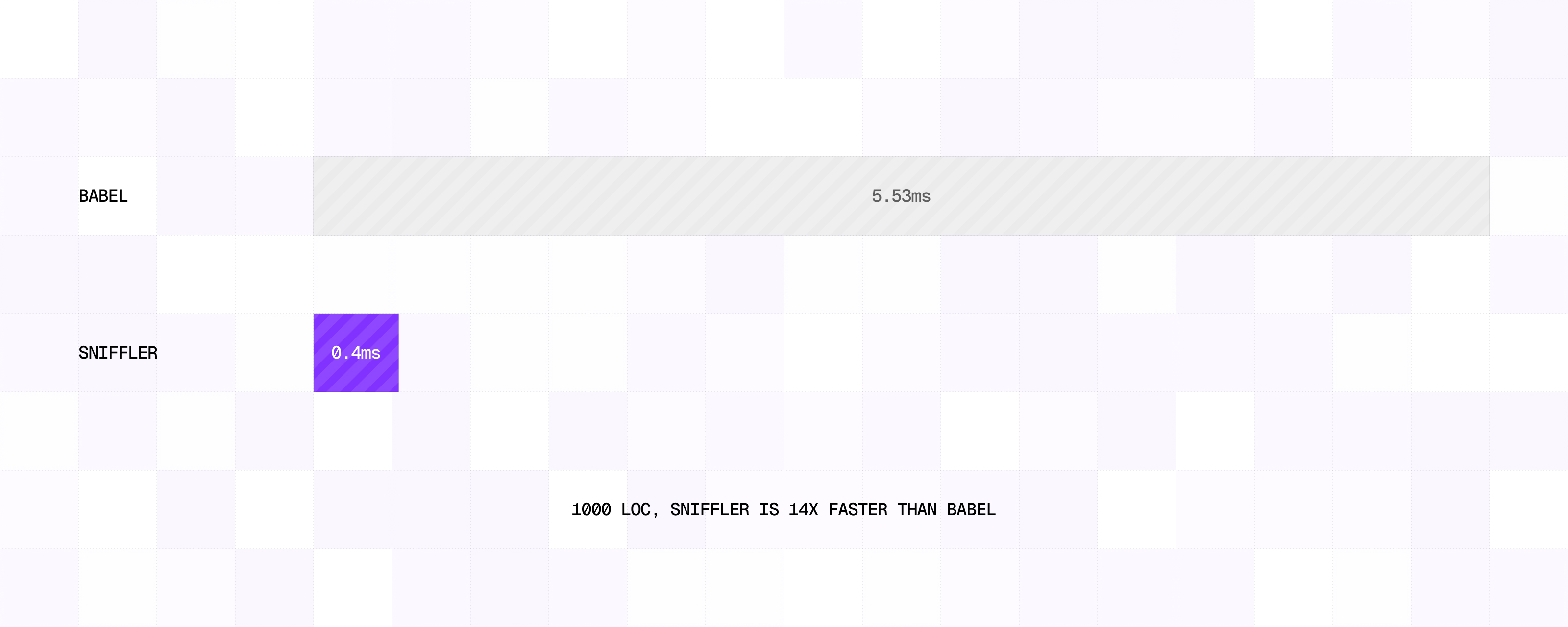
Sniffler keeps the analysis focused. It looks for import and export statements and uses them to understand how modules are connected, without paying the cost of fully parsing every file.
That is also where Sniffler gets more precise than a simple file-to-file dependency graph. It does not only track that one file imports another file. It can also track which exported entity is used by a given import. That matters a lot when your project uses barrel files.
Barrel files are convenient, but they can make impact analysis noisy. If a barrel file re-exports many things, a less precise tool may treat every consumer of that barrel file as affected whenever one of those re-exported modules changes.
In practice, that can select too many tests. Sniffler follows the exported entities through the chain. If a changed file only affects one export from a barrel file, Sniffler can keep the impact focused on the modules and tests that actually use that export.
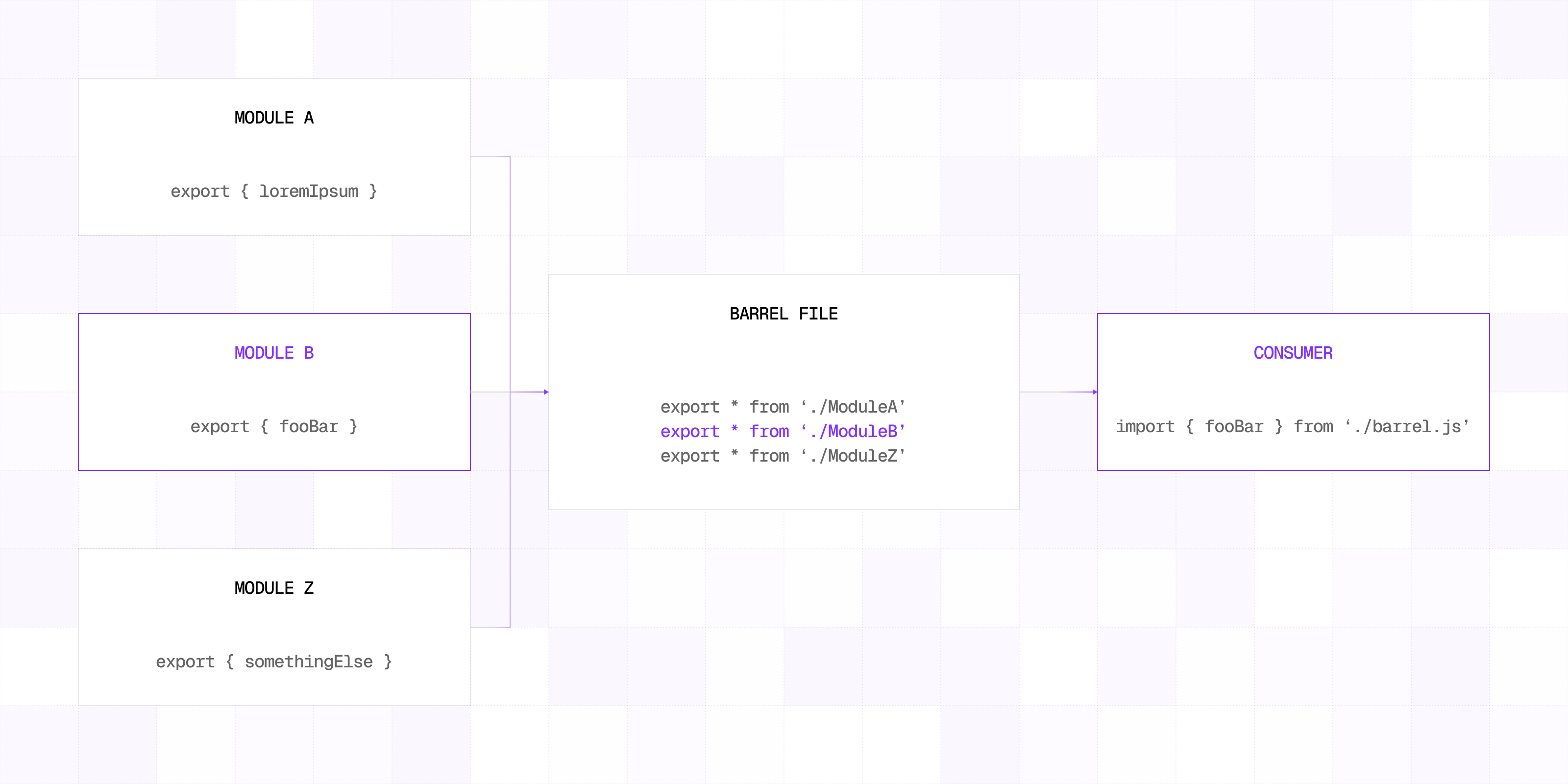
That precision is what makes it useful for E2E test selection. The goal is not only to know that something changed. The goal is to understand how far that change can travel through the app.
Sniffler also gives you an escape hatch for files that should always trigger the full suite. For example, if a lock file changes, you may decide that the safest choice is to run every E2E test. You can configure those files explicitly, and Sniffler will skip the dependency analysis and select the full suite right away.
Limitations
Sniffler is focused on JavaScript and TypeScript projects. At the moment, it does not analyze native code written in Kotlin, Swift, Java, Objective-C, or C++. If your change stays entirely inside native code, Sniffler will not be able to trace that dependency chain today.
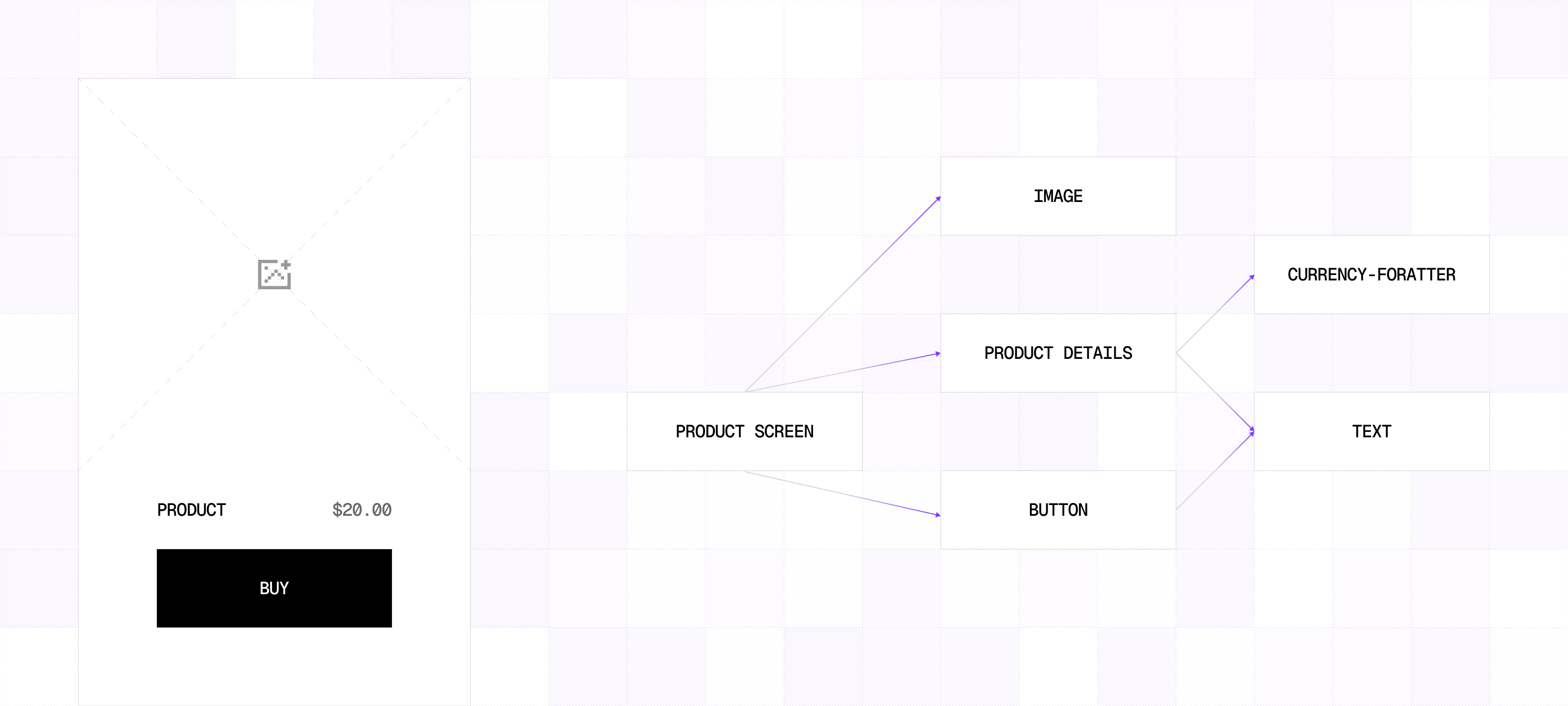
There is also one important piece you need to maintain manually: the test map. That is intentional. End-to-end tests usually do not import application modules directly. They interact with the running app. They tap buttons, fill inputs, navigate between screens, and verify what the user sees. Because of that, there is no obvious static import relationship between an E2E test file and the source modules used during that scenario.
So today, developers need to tell Sniffler which tests rely on which parts of the app. This is a tradeoff. The manual map gives Sniffler the missing connection between source code and E2E scenarios, but it also means the map needs to stay in sync with the app.
We are working on making that better. The next step is instrumentation for apps built with React Native. The idea is to collect information about which modules are used while an E2E test is running, then feed that information back into Sniffler. With that in place, Sniffler will be able to build the relationship between test cases and source modules automatically.
That part is still a work in progress, but thatis the direction we want to take.
Conclusion
Sniffler is useful when your E2E suite has grown large enough that running everything on every pull request no longer makes sense. It helps you keep the confidence that comes from end-to-end testing while reducing the amount of work your CI has to do for each change. Instead of choosing between speed and coverage, you can make test selection more intentional.
If your team has a large JavaScript or TypeScript app, a growing E2E suite, and CI pipelines that spend too much time running tests unrelated to the change, give Sniffler a try.
If it works well for your use case, we would love to hear about it. If you find rough edges, missing cases, or places where the impact selection is not accurate enough, please open an issue in the repository. We will be happy to look into it and improve the tool with the community.



Learn more about Testing
Here's everything we published recently on this topic.