We’re turning the knowledge from The Ultimate Guide to React Native Optimization into react-native-best-practices: a set of structured, agent-oriented skills for AI coding agents.
Over the years we’ve worked on a lot of large React Native codebases. Different products, different teams, different constraints, but many of the same problems show up every time:
- slow startup,
- unnecessary re-renders,
- list performance issues,
- memory growing over time,
- release builds behaving differently than debug builds.
The list goes on and on.
Since 2020 we’ve been sharing our expertise on these challenges in The Ultimate Guide to React Native Optimization (PDF/ePub/print). It’s free, and it’s written for humans.
Now that AI coding agents are writing more code—including Expo and React Native apps—it makes sense to publish these practices in a format that tools can discover and apply consistently.
How we’ve collected these practices
For each edition of the guide, we’ve worked with dozens of engineers from Callstack, Expo, and the community to distill the most common problems we see in real codebases into actionable solutions.
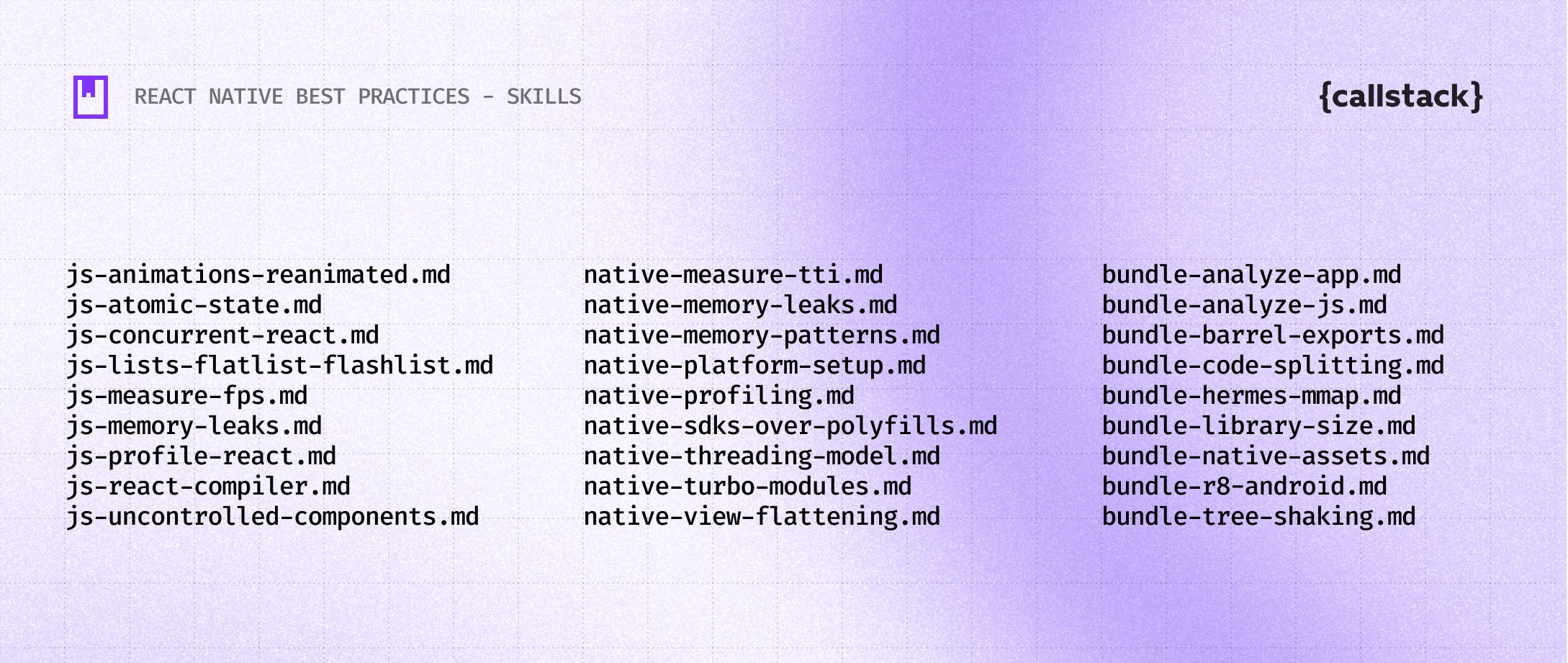
Because React Native performance is cross-platform by default, we group the skills into three categories that eventually map to two core metrics: FPS and TTI.
JavaScript
Techniques that focus on React and the React Native runtime. In practice, preventing unnecessary render work is often the biggest lever. We cover memoization and React Compiler, atomic state patterns, moving heavy work off the JS thread, and more.
Native
Sometimes JavaScript changes aren’t enough. This is where we share techniques for profiling and debugging iOS/Android runtime behavior, plus common pitfalls when building native modules for React Native.
Bundling
Runtime optimization is only part of the story. We also cover build-time work: reducing native assets, measuring and inspecting app size, trimming unnecessary JavaScript, and configuring Hermes for more efficient memory mapping.
What’s inside a skill
Each skill focuses on a specific topic and follows a consistent structure:
- When to Use,
- Prerequisites,
- Steps,
- Examples,
- Pitfalls,
- Related links
The content is based on how we’ve optimized real React Native apps, not on theoretical recommendations. At launch, the repository includes 27 skills across JavaScript, React, native iOS and Android, and bundling.
Example: R8 code shrinking on Android
A typical skill describes one concrete change, such as enabling R8 for Android release builds. We see this missed a lot—partly because it’s disabled by default in the standard React Native template.
Instead of just saying “turn on R8” and calling it a day, the skill goes a step further. It’s not only minifyEnabled. You typically also want shrinkResources configured correctly:
android {
    buildTypes {
        release {
            minifyEnabled true
            shrinkResources true  // Requires minifyEnabled
        }
    }
}What often goes wrong is breakage caused by minification + reflection (or code generation) in certain libraries. The fix is usually adding keep rules for the affected packages/classes. The skill includes examples, like this one for Firebase:
-keep class io.invertase.firebase.** { *; }
-dontwarn io.invertase.firebase.**
And finally, the skill doesn’t treat this as a checkbox. It also shows how to verify whether the optimization actually helped, for example by building a release artifact:
cd android
./gradlew assembleRelease
# or
./gradlew bundleRelease…and by cross-checking results with related skills like Analyze App Bundle Size, which walks through using Spotify’s Ruler.
How to use react-native-best-practices
These best practices are packaged as Agent skills that install into Opencode, Codex, Claude Code, Cursor, and other coding agents. When your agent reviews, optimizes, or develops a React Native or Expo codebase, it can reference these patterns and suggest fixes.
npx add-skill callstackincubator/agent-skillsor in Claude Code:
/plugin marketplace add callstackincubator/agent-skills
/plugin install react-native-best-practices@callstack-agent-skills
What’s next
Some areas of React Native optimization depend on visual tools like profilers, flame graphs, and memory timelines. These aren’t easy for agents to interpret yet. We’re exploring ways to connect those tools through MCP so that visual output can be analyzed alongside the written guidance.
For now, this project focuses on decisions, configurations, and good practices that can be described precisely and applied consistently.
Visit the callstackincubator/agent-skills repository.

Learn more about AI
Here's everything we published recently on this topic.